TL;DR: Create a Punk/Rock Music Journal by designing high-contrast, distressed interiors and covers using graphic design software, then upload the files to Amazon KDP for print-on-demand production. Ensure your files meet KDP’s trim size and bleed specifications to guarantee professional-quality physical copies without needing manual binding.
Designing the Aesthetic
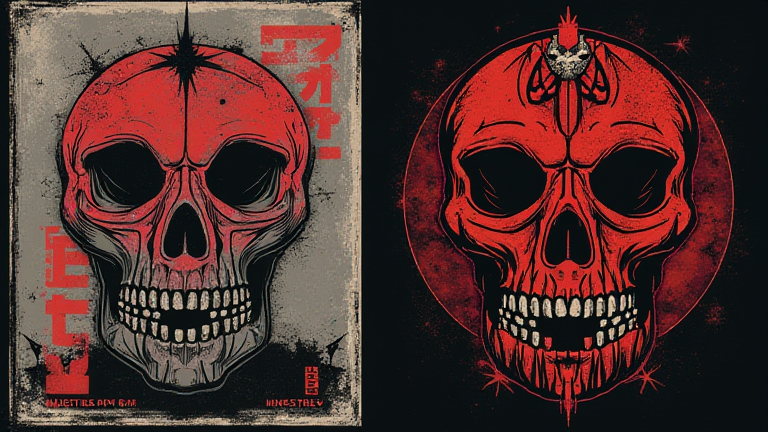
Begin by selecting a digital design tool like Adobe Illustrator or Canva. Choose a standard trim size, such as 6×9 inches, which is popular for journals. The punk aesthetic relies heavily on raw energy, so use bold, jagged fonts and high-contrast color palettes involving black, white, red, and neon green. Avoid clean, corporate layouts. Instead, incorporate visual noise, grain textures, and distressed edges to mimic the DIY zine culture of the punk era. Your cover must grab attention immediately, so use large, impactful typography that screams rebellion. Think band tour dates, ripped posters, or iconic punk symbols like anarchy signs or safety pins. Ensure your text remains legible against the chaotic background by placing solid color blocks behind critical information like the title and author name.
If you want to dig deeper, check out our guide on How CRM Software Improves Business Sales and Customer Retent.
Creating the Interior
Your interior pages should reflect the same chaotic energy. Create a repetitive pattern of musical staves, lyric sheets, or blank pages with grunge borders. For lined pages, use thick, uneven lines that look hand-drawn rather than perfectly straight digital vectors. This adds authenticity to the “handmade” feel. Consider adding interactive elements like fill-in-the-blank prompts for concert setlists, album reviews, or sketching band logos. Keep the background light to ensure ink readability, but use dark, heavy borders to frame each page. Export your interior file as a high-resolution PDF with 0.125 inches of bleed on all sides. This ensures that background colors and graphics extend to the very edge of the page, preventing unwanted white borders after printing.
Uploading to KDP
Log in to your Kindle Direct Publishing account. Click “Create a New Title” and select “Paperback.” Fill in your book details, ensuring the keywords include “punk journal,” “rock music notebook,” and “DIY music planner.” Upload your cover PDF and interior PDF. KDP will provide a previewer tool; use this extensively to check for alignment errors or text cutoffs. Once approved, set your price and publish. You can order a physical proof copy to check the print quality before making the book public. This step is crucial for ensuring that the distressed textures do not blur during the printing process. With a well-designed product, you can tap into the niche market of musicians and punk enthusiasts looking for unique, thematic stationery.
FAQ
Q: Can I use copyrighted band logos in my journal?
A: No, using copyrighted logos without permission is illegal; use original, generic punk-inspired graphics instead.
Q: What is the best file format for KDP uploads?
A: PDF is the standard and most reliable format for both interior and cover files to preserve layout integrity.
Q: How do I ensure the cover looks professional?
A: Always use the KDP Cover Calculator to get exact spine width and bleed requirements before finalizing your design.
Leave a Reply