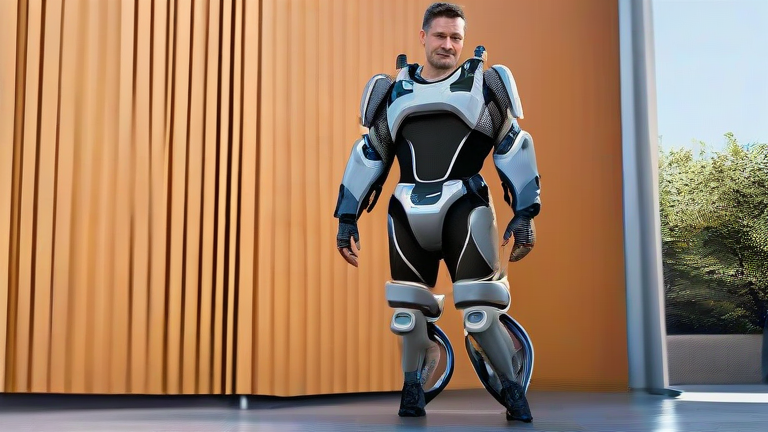
TL;DR: Bionic exosuits are lightweight, wearable robotics that boost your natural strength and endurance for walking, lifting, and standing. To use one daily, you need a proper fitting, a short training period, and a maintenance routine—this guide covers all three.
Step 1: Choose the Right Exosuit for Your Needs
Not all exosuits are equal. For daily mobility, look for “soft” or “textile-based” suits (like those from MyoSwiss or ReWalk’s soft exo) rather than rigid exoskeletons. These weigh under 5 kg and assist hip or knee extension. If you need help with stair climbing, pick a suit with active ankle support. If you only need fatigue reduction for long walks, a hip-only model is lighter and cheaper. Always check the battery life—aim for at least 4 hours of continuous assist.
If you want to dig deeper, check out our guide on Why Solid Wood Furniture Is Trending in Modern Home Design.
Step 2: Get a Professional Fitting and Calibration
Never buy an exosuit online without a physical fitting. A certified therapist will measure your leg length, hip width, and gait cycle. They will then calibrate the torque output—too strong and you’ll feel like you’re being pushed; too weak and it’s useless. Ask for a “walk-in” mode that learns your natural cadence in 10 minutes. For first-time users, request a “gentle start” profile that ramps up assistance over 2 weeks.
Step 3: Don the Suit Correctly (2-Minute Routine)
Put on the suit over thin, non-slip leggings—never denim. First, sit on a chair. Slide the hip belt around your waist, aligning the motor pods over your hip bones. Second, snap the thigh straps just above your knees, ensuring the sensors sit flush against your quadriceps. Third, connect the calf cuffs and secure the chest harness. Finally, turn on the controller and perform a “system check” by lifting each knee 5 times. If you hear a soft beep, you’re ready.
Step 4: Learn the Three Walking Modes
Most suits have three modes. Mode 1: Assistive—adds 20% torque for flat ground; use for grocery shopping. Mode 2: Stair—doubles hip extension when you lift your foot; practice on low steps first. Mode 3: Stand-to-Sit—provides controlled lowering; essential for chairs and toilets. Never switch modes mid-stride. Always pause, stand still, and press the mode button on your wrist controller.
Step 5: Battery Management and Charging
Charge the suit every night, even if you used it for 30 minutes. The batteries are Li-ion and degrade if fully drained. Use the included magnetic charger—plug it into the hip port, and a blue light means charging. For a full day out, carry a spare battery pack (about 0.5 kg) in a small backpack. Never charge in direct sunlight or near water. A full charge takes 2.5 hours and gives 4–6 hours of active assist depending on terrain.
Step 6: Daily Maintenance and Hygiene
Wipe the textile straps with a damp cloth every evening—sweat corrodes the sensors. Once a week, remove the motor pods and check the quick-release pins for debris. Wash the fabric cuffs in cold water (machine wash, gentle cycle) but never the electronics. Store the suit on a hanger, not folded, to prevent sensor cable crimping. Replace the gel pads on the thigh cuffs every 3 months—they compress and reduce comfort.
Pro Tips for New Users
Start with 20-minute walks for the first week. Your muscles need to learn to “cooperate” with the assist. Take shorter strides than you normally do—the suit responds better. If you feel a pinch on your hip, loosen the belt by one notch
Leave a Reply