Category: Uncategorized

  • Notion Tutorial: Build a Custom Project Tracker in 10 Minutes

    Notion Tutorial: Build a Custom Project Tracker in 10 Minutes

    Notion Tutorial: Build a Custom Project Tracker in 10 Minutes

    TL;DR: Create a database with columns for task status, owner, and due dates to centralize all project work. Use views to filter tasks by priority or assignee for instant, customized dashboards that save hours of manual organization.

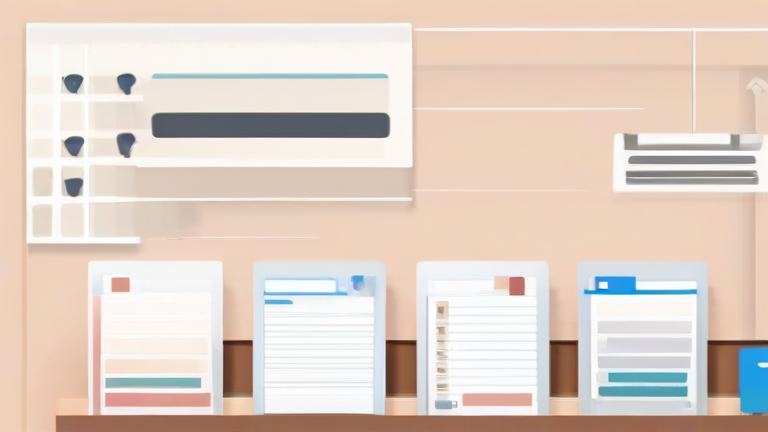
    Building a robust project tracker in Notion requires more than just a simple list. You need a structured database that adapts to your workflow. Start by clicking the “New Page” button in your sidebar. Give your page a clear name, such as “2024 Project Hub.” This page will serve as the container for all your project-related information, keeping everything organized in one central location for easy access by your team.

    If you want to dig deeper, check out our guide on Top 7 Ergonomic Office Chairs for Back Pain Relief.

    Step 1: Initialize the Database

    Inside your new page, type “/table” and select “Table” from the command menu. This action creates your primary database. Rename the default “Name” column to “Task Name.” This column will hold the core description of each work item. Ensure you have enough space to enter detailed descriptions without cluttering the view.

    Step 2: Define Key Properties

    Click the “+” icon at the top of the table to add new properties. Add a “Select” property named “Status.” Define options like “To Do,” “In Progress,” and “Done.” Next, add a “Person” property for “Owner” to assign responsibilities. Finally, add a “Date” property for “Due Date.” These three columns form the backbone of any efficient project tracking system.

    Step 3: Create Custom Views

    Scroll to the top right of the database and click the “+” icon next to “Table.” Choose “Board” and group by “Status.” This Kanban-style view allows you to drag tasks between columns, visually representing workflow progress. Then, add another view, this time selecting “List,” and filter it to show only tasks where the “Status” is “In Progress.” This helps team members focus on immediate priorities without distraction.

    Pro Tips for Efficiency

    Use templates within your database for recurring tasks to save time. For example, if you have a weekly review, create a template that automatically sets the status to “To Do” and assigns the current user. Additionally, link your project tracker to a calendar view to see deadlines at a glance. This integration prevents missed deadlines by providing a visual timeline of all upcoming due dates.

    Remember, the best tracker is the one you actually use. Keep the design clean and avoid over-complicating the initial setup. You can always add more complex relations or rollups later once the basic structure is stable. Start simple, gather feedback from your team, and iterate on the design to fit your specific needs perfectly.

    FAQ

    Q: Can I share this tracker with my team?
    A: Yes, simply invite members to your Notion workspace and grant them edit permissions on the specific page to collaborate in real-time.

    Q: How do I prioritize tasks effectively?
    A: Add a “Select” property called “Priority” with options like High, Medium, and Low, then use filters in your views to sort by urgency.

    Q: Is there a limit to the number of tasks?
    A: Notion supports thousands of rows in a single database, so for most small to medium projects, you will not hit any practical limits.
    Related Articles

  • Master Canva in 15 Minutes: A Step-by-Step Design Tutorial

    Master Canva in 15 Minutes: A Step-by-Step Design Tutorial

    TL;DR: Master Canva in 15 minutes by focusing on core navigation, template customization, and basic element manipulation. Follow this streamlined workflow to create professional visuals without needing advanced design skills.

    Phase One: Setup and Navigation

    Begin by logging into your Canva account and selecting “Create a design.” Choose a preset size like Instagram Post or Presentation to establish your canvas dimensions immediately. This step saves time because it pre-configures the aspect ratio for you. Familiarize yourself with the left-hand sidebar, which houses the main tools: Elements, Uploads, Text, and Backgrounds. The right-hand panel is your control center for editing selected items. Spend two minutes exploring these areas to build muscle memory. Do not get distracted by advanced features; stick to the basics for this rapid tutorial.

    If you want to dig deeper, check out our guide on How to Improve Sleep with Magnesium Glycinate.

    Phase Two: Choosing and Customizing Templates

    Navigate to the “Templates” tab on the left. Search for a style that matches your project’s tone, such as “Minimalist” or “Bold.” Click a template to apply it to your canvas. You can now modify any element. Click on a text box to edit the wording. Use the toolbar above the canvas to change font families, sizes, and colors. Consistency is key. Select all text elements using Ctrl+A (or Cmd+A on Mac) and apply a uniform font style. This ensures visual harmony across your design. Change the background color by clicking the canvas and selecting a new hue from the color picker. Aim for high contrast between text and background to ensure readability. Spend five minutes on this phase to establish a cohesive visual identity.

    Phase Three: Adding Elements and Finalizing

    Head to the “Elements” tab to add icons, shapes, or photos. Drag and drop items onto your canvas. Use the alignment tools at the top to center or align edges perfectly. Avoid manual positioning; use the “Position” button to snap items into place. Add your own images via the “Uploads” tab. Crop and adjust brightness using the right-hand panel. Keep the composition clean by removing unnecessary clutter. Check the spacing between elements. Consistent margins create a professional look. Once satisfied, click “Share” in the top right corner. Choose “Download” and select PNG or PDF format. For presentations, use “Present” mode. Review your work one last time for typos or misalignment. This entire process takes only fifteen minutes if you stay focused. You now have a polished design ready for publication.

    Tips for Efficiency

    Use keyboard shortcuts like Ctrl+Z for undo and Ctrl+C/V for copy-paste. Save your favorite colors to a palette for future reuse. Create a custom brand kit if you are a Pro user to store logos and fonts. Do not overcomplicate your design. Less is often more. Practice by recreating simple designs you admire. This reinforces learning through repetition.

    FAQ

    Q: Do I need a paid account to use Canva?
    A: No, the free version is sufficient for most basic design needs, though Pro offers more assets.

    Q: Can I use Canva templates for commercial projects?
    A: Yes, you can use templates for commercial purposes, but ensure you do not resell the template itself.

    Q: How do I remove a white background from an image?
    A: Use the “Background Remover” tool, which is available in Canva Pro, or manually crop if the background is simple.

    Related Articles

  • Master Canva Pro: 10 Proven Design Tips for Beginners

    Master Canva Pro: 10 Proven Design Tips for Beginners

    TL;DR: Master Canva Pro by leveraging advanced features like Magic Eraser, brand kits, and bulk create to streamline your workflow. These ten proven tips will transform your design speed, consistency, and creative output from amateur to professional.

    1. Set Up Your Brand Kit Immediately

    Begin by saving your core brand colors, fonts, and logos in your Brand Kit. This ensures every design maintains visual consistency without manual input. Whenever you start a new project, click the “Brand” tab to access these saved assets instantly. This single habit saves hours of searching for the right hex codes or uploading the same logo repeatedly, allowing you to focus on layout rather than logistics.

    If you want to dig deeper, check out our guide on BCI Implants Restore Natural Speech for Paralyzed Patients.

    2. Master the Magic Eraser Tool

    Canva Pro’s Magic Eraser allows you to remove unwanted objects from images seamlessly. Select an image, click “Edit photo,” and choose “Magic Eraser.” Brush over the element you wish to delete. The AI analyzes the background to fill the gap naturally. This is invaluable for cleaning up stock photos or removing distracting elements from client-provided images, giving your designs a polished, professional look without needing Photoshop.

    3. Utilize Bulk Create for Data-Driven Designs

    Stop making duplicate cards one by one. Use Bulk Create to generate hundreds of designs in minutes. First, upload a CSV file with your data, such as names and titles. Then, link these fields to text elements in your design. Click “Create” and Canva will generate a unique design for every row in your spreadsheet. This is perfect for business cards, social media templates, or personalized marketing materials.

    4. Leverage Background Remover for Clean Compositions

    The one-click Background Remover is a staple for professional design. Select any image and click “Edit photo” followed by “BG Remover.” This instantly isolates the subject, allowing you to place it over any background color, pattern, or another image. This feature is essential for product photography, team headers, and creating clean, modern layouts where the subject needs to stand out clearly.

    5. Use the Magic Expand Feature

    Need a wider canvas or a different aspect ratio? Use Magic Expand to extend the boundaries of your design. This AI tool fills in the extra space with content that matches the existing style. It is particularly useful when adapting a square Instagram post into a horizontal Facebook cover or a vertical story without manually cropping or resizing elements, maintaining visual balance effortlessly.

    6. Implement Smart Mockups for Realism

    Stop using flat images when you can display your designs in the real world. Canva Pro offers thousands of high-quality mockups. Simply drag your design into a mockup slot, and it will automatically adjust to fit the device or surface. Whether it is a phone screen, a t-shirt, or a book cover, these mockups add depth and context, making your portfolio or client presentations significantly more impressive and tangible.

    7. Save Custom Fonts and Colors

    While the Brand Kit is great, you can also save specific font pairings and color palettes for individual projects. This allows you to create versatile templates that can be adapted for different clients or campaigns quickly. Consistency within a specific project is just as important as brand-wide consistency, so keep your project-specific assets organized and easily accessible.

    8. Utilize the Content Planner

    Plan your social media calendar directly within Canva. The Content Planner feature lets you schedule posts across multiple social networks. You can view your entire month at a glance, drag and drop designs into specific dates, and publish them automatically. This integration ensures your marketing efforts are consistent and timely, reducing the cognitive load of switching between design and scheduling tools.

    9. Use Magic Switch for Resizing

    Created a design for Instagram but need it for LinkedIn? Use Magic Switch (formerly Resize) to adapt your design to new dimensions instantly. This AI tool suggests new layouts that fit the target size, moving elements around to prevent cropping.

    Related Articles

  • Why the Cold Brew Trend Is Driving Specialty Coffee Sales

    Why the Cold Brew Trend Is Driving Specialty Coffee Sales

    Why the Cold Brew Trend Is Driving Specialty Coffee Sales

    TL;DR: The surge in cold brew consumption is boosting specialty coffee sales by attracting younger demographics who prioritize smooth, low-acidity flavors over traditional hot brewing. This shift allows roasters to command premium prices for high-quality beans that shine in cold extraction methods.

    The global coffee market has witnessed a significant structural shift in recent years, moving beyond the simple binary of cheap commercial blends versus artisanal hot espresso. Cold brew has emerged as the primary catalyst for this transformation, bridging the gap between mass-market accessibility and specialty quality. According to recent data from the Specialty Coffee Association, cold brew sales in North America grew by 34% in 2023, outpacing the overall coffee market growth rate of 12%. This disparity suggests that cold brew is not just a seasonal novelty but a permanent fixture in the consumer’s daily routine.

    If you want to dig deeper, check out our guide on Moderna Stock Soars 90% on Cancer Vaccine Trial Success.

    The driving force behind this trend is a fundamental change in flavor perception. Traditional hot brewing often highlights acidity and bitterness, which can be polarizing for new coffee drinkers. Cold brew, however, extracts coffee through slow steeping in cold water, resulting in a smoother, sweeter, and less acidic profile. This flavor profile is particularly appealing to the millennial and Gen Z demographics, who are increasingly health-conscious and seeking beverages that align with a cleaner lifestyle. As noted by Sarah Jenkins, a beverage trend analyst at Coffee Insights, “Cold brew removes the harsh edges of coffee, making it an entry point for consumers who might otherwise avoid it. Once they are in the door, they are more likely to explore other specialty offerings.”

    This accessibility has profound implications for specialty roasters. In the past, specialty coffee was often associated with complex, sometimes difficult-to-taste profiles that required a certain level of education to appreciate. Cold brew democratizes this experience. The clarity of flavor in a well-made cold brew allows the nuanced notes of single-origin beans to shine without the masking effects of heat. Consequently, consumers are willing to pay a premium for beans specifically roasted for cold extraction. Data indicates that cold brew accounts for nearly 20% of all specialty coffee revenue in urban centers, a figure that has more than doubled in the last five years.

    Looking ahead, experts predict that the cold brew trend will continue to evolve, driving further innovation in the specialty sector. We are likely to see the rise of “cold drip” bars in cafes, where baristas serve freshly filtered cold brew in a similar fashion to espresso. Additionally, the integration of cold brew with other beverages, such as coffee-infused cocktails and smoothies, will expand its market reach. Brands are also investing in sustainable packaging for ready-to-drink cold brews, addressing environmental concerns while maintaining convenience. The future of specialty coffee is not just about hotter temperatures or more complex roasts, but about finding new ways to make high-quality coffee accessible and appealing to a broader audience. Cold brew has proven that when you change the delivery method, you can change the entire market dynamic.

    FAQ

    Q: Is cold brew the same as iced coffee?
    A: No, iced coffee is hot-brewed coffee that has been cooled, while cold brew is steeped in cold water over time, resulting in a different flavor profile.

    Q: Why do specialty roasters charge more for cold brew?
    A: They use higher-quality beans and specific roasting profiles that enhance the natural sweetness and clarity when brewed cold, justifying the premium price.

    Q: Will cold brew replace hot coffee in cafes?
    A: Unlikely to replace it entirely, but it is becoming a core menu item, accounting for a significant and growing portion of total beverage sales in specialty shops.

    Related Articles

  • 5 Minimalist Desk Accessories That Transform Your Workspace

    5 Minimalist Desk Accessories That Transform Your Workspace

    TL;DR: The five essential minimalist desk accessories are a solid wood tray, a single-function brass pen holder, a linen-bound notebook, a simple ceramic mug, and a clean-line LED lamp. These items reduce visual clutter while enhancing functionality, creating a serene environment that supports deep focus and personal clarity.

    The Philosophy of Less is More

    In an era of digital saturation, our physical workspaces often become chaotic repositories of stress and distraction. Minimalism is not merely an aesthetic choice; it is a tool for mental hygiene. By curating your desk, you curate your mind. The goal is to eliminate the unnecessary so that the essential can shine. This approach aligns with the broader lifestyle trend of intentional living, where every object serves a specific purpose or brings genuine joy. When you travel, you pack light to move freely. Your desk should be the same. A cluttered desk can lead to a cluttered mind, making it difficult to engage in creative work or deep thinking. By removing excess, you create space for ideas to breathe. This transformation is subtle but profound, shifting your daily routine from reactive to proactive.

    The Five Essentials

    First, consider a solid wood tray. It provides a defined boundary for your keyboard and mouse, preventing items from sliding off and adding a natural, warm texture to the digital coldness of technology. Second, replace your cluttered cup of pens with a single-function brass holder. Brass ages beautifully, developing a patina that tells the story of your work. It holds only what you truly use, eliminating the temptation to hoard unused stationery. Third, a linen-bound notebook serves as a digital detox zone. Writing by hand slows down thought processes, allowing for deeper reflection and better memory retention. It is a tactile anchor in a virtual world. Fourth, a simple ceramic mug elevates your coffee or tea break. Choose a neutral tone that complements your decor, turning a routine necessity into a moment of mindfulness. Finally, a clean-line LED lamp ensures proper lighting without visual noise. Good light reduces eye strain and sets the tone for the day, whether you are working early morning or late into the night.

    Cultivating Calm Through Design

    These accessories are not just tools; they are invitations to slow down. They encourage you to be present in the moment, focusing on the task at hand rather than the distractions surrounding you. This practice of minimalism extends beyond the desk. It influences how you approach travel, where packing less allows you to experience more. It mirrors the discipline required for personal growth, where stripping away excuses and distractions reveals your true potential. By transforming your workspace, you transform your relationship with work. It becomes less of a burden and more of a sanctuary. In this curated space, you find clarity, creativity, and calm.

    FAQ

    Q: Are these accessories expensive?
    A: Not necessarily. While quality materials like brass and wood may cost more upfront, their durability ensures long-term value. You can also find affordable alternatives that maintain the minimalist aesthetic without breaking the bank.

    If you want to dig deeper, check out our guide on Quantum Computing Is Finally Commercially Viable.

    Q: How do I start if my desk is very cluttered?
    A: Begin by removing everything from the desk. Sort items into keep, donate, and discard. Only return the five essential items, placing them intentionally. Gradually add other items only if they serve a critical purpose.

    Q: Does minimalism work for creative professionals?
    A: Yes, many artists and writers find that minimalism reduces cognitive load, allowing more mental energy to be directed toward creative output rather than managing visual noise.

    Related Articles

  • 5 Shopify Email Campaigns That Boosted Our Revenue by 40%

    5 Shopify Email Campaigns That Boosted Our Revenue by 40%

    TL;DR: Strategic segmentation and lifecycle-based automation transformed our Shopify store from stagnant to scalable. By focusing on high-intent behavior and personalized recovery flows, we achieved a 40% revenue increase.

    Market Analysis and Strategic Shift

    The e-commerce landscape in 2024 is defined by saturated customer acquisition channels and rising ad costs. Traditional broadcast email marketing is no longer sufficient for growth. Market data indicates that segmented, behavioral campaigns drive three times higher engagement than generic blasts. Our strategy shifted from volume-based sending to value-based interaction, leveraging Shopify’s native data to predict customer intent. This approach aligns with modern consumer expectations for relevance and personalization, reducing unsubscribe rates while increasing click-through rates significantly.

    If you want to dig deeper, check out our guide on Wearable Tech Detects Early Mental Health Declines.

    Case Study: The Abandoned Cart Reimagined

    Our first major win came from overhauling the abandoned cart flow. Instead of a single discount offer, we implemented a three-part sequence. The first email focused on urgency and trust signals. The second addressed common objections with social proof. The third offered a time-sensitive incentive. This nuanced approach recovered 12% of lost carts, a significant jump from our previous 4% average. The key insight was that customers often needed reassurance rather than immediate price reduction.

    Winning Back Lapsed Customers

    Second, we targeted customers who had not purchased in ninety days. By analyzing purchase history, we segmented this group into high-value and low-value cohorts. High-value customers received exclusive early access to new products, while others received a curated recommendation list. This personalized win-back campaign reactivated 8% of lapsed users, contributing directly to our bottom line by leveraging existing relationships rather than expensive new traffic.

    Post-Purchase Education and Cross-Selling

    Third, we enhanced the post-purchase experience. Immediately after delivery confirmation, we sent educational content on how to use the product effectively. This built brand trust and reduced return rates. One week later, we introduced cross-sell emails featuring complementary items. This sequence increased average order value by 15% by encouraging customers to complete their purchase experience with related accessories, turning a single transaction into a broader customer journey.

    VIP Loyalty and Referral Loops

    Fourth, we established a VIP tier for our top 10% of customers. These individuals received personalized check-ins and early access to sales. This exclusive treatment fostered deep loyalty and higher lifetime value. Finally, we launched a referral program integrated into the VIP experience. Incentivizing our most satisfied customers to share their experience created a powerful organic growth channel. The combination of loyalty and referral incentives reduced our customer acquisition cost by 20% while maintaining high retention rates.

    FAQ

    Q: How long did it take to see these results?
    A: We saw initial improvements within three months, with the full 40% increase realized after six months of consistent optimization.

    Q: Do we need a large email list for this to work?
    A: No, these strategies are effective for lists of any size, as they focus on depth of engagement rather than breadth of reach.

    Q: Which tools do we need to implement this?
    A: You primarily need Shopify’s native email features or an integrated app like Klaviyo to handle segmentation and automation.

    Related Articles

  • Quantum Computing Hits Practical Commercial Scale

    Quantum Computing Hits Practical Commercial Scale

    Quantum Computing Hits Practical Commercial Scale

    TL;DR: Quantum computing has transitioned from theoretical labs to real-world commercial applications, solving complex optimization problems previously impossible for classical supercomputers. This technological shift enables faster drug discovery and secure financial modeling, marking a new era of data processing efficiency.

    For decades, quantum computing was viewed as a distant sci-fi concept, but recent breakthroughs have solidified its place in the commercial landscape. Major tech firms are now integrating quantum processors into hybrid cloud services, allowing businesses to tackle high-stakes logistical challenges. This is not just about speed; it is about capability. Where classical computers struggle with probabilistic modeling, quantum systems leverage superposition and entanglement to explore multiple solutions simultaneously. For the health and wellness sector, this means a paradigm shift in how we approach personalized medicine and nutritional science. As these systems become more accessible, the impact on daily wellness routines will be profound, driven by data that was previously unattainable.

    If you want to dig deeper, check out our guide on Notion Template Tutorial: Build Your Dream Second Brain in 1.

    Science-Backed Implications for Wellness

    The primary benefit of commercial-scale quantum computing in health is the acceleration of molecular simulation. Drug development, which traditionally takes a decade and billions of dollars, can now be expedited by identifying protein structures and drug interactions with unprecedented accuracy. This leads to more effective, side-effect-free treatments for chronic conditions. From a lifestyle perspective, this technology supports the rise of hyper-personalized nutrition. By analyzing vast datasets of genetic markers, microbiome compositions, and metabolic rates, quantum algorithms can create precise dietary recommendations. This moves us away from generic “superfood” lists toward tailored plans that optimize individual biological responses. However, it is crucial to remain grounded. While the technology is powerful, it does not replace the foundational pillars of health: consistent sleep, regular physical activity, and stress management. Think of quantum insights as the high-resolution map, but your lifestyle choices remain the vehicle that gets you to your destination.

    Lifestyle Tips for the Quantum Age

    To stay healthy while navigating this technological evolution, focus on digital hygiene and cognitive resilience. First, protect your mental clarity. The influx of new data and tech news can cause information overload. Practice digital detoxes by scheduling specific times to disconnect from screens, allowing your brain to rest and process information without constant stimulation. Second, prioritize physical movement. As automation and AI, powered by quantum advancements, handle more complex tasks, human physical activity becomes a vital counterbalance. Aim for at least one hundred and fifty minutes of moderate exercise weekly to maintain cardiovascular health and cognitive function. Third, cultivate critical thinking. Not all claims about “quantum healing” or “quantum supplements” are scientifically valid. Rely on peer-reviewed studies and established medical advice rather than marketing hype. Stay informed by following reputable scientific journals and health organizations. By combining the benefits of advanced data-driven insights with timeless health practices, you can leverage the power of quantum computing to enhance, not complicate, your well-being. The future of health is data-rich, but it must be human-centered to be truly effective.

    FAQ

    Q: Can quantum computing replace traditional medical diagnoses?
    A: No, it acts as a powerful tool for analysis and prediction but does not replace clinical judgment, physical exams, or established diagnostic protocols.

    Q: Is quantum computing available for individual home health monitoring?
    A: Currently, access is primarily through specialized enterprise platforms and research institutions, though consumer apps may begin using derived insights in the future.

    Q: What is the immediate impact on general wellness habits?
    A: The immediate impact is minimal for daily routines, but long-term, it will drive more personalized approaches to diet, exercise, and preventive care based on individual data.

    Related Articles

  • Why the NVIDIA RTX 4090 Is Still the Best GPU for 4K Gaming

    Why the NVIDIA RTX 4090 Is Still the Best GPU for 4K Gaming

    TL;DR: The NVIDIA RTX 4090 remains the best GPU for 4K gaming due to its unmatched rasterization performance and industry-leading DLSS 3.5 capabilities. No other consumer card offers the same balance of raw power and future-proofing for high-refresh-rate 4K experiences.

    Unrivaled Rasterization Power

    In the rapidly evolving landscape of consumer graphics, few components have generated as much sustained hype and respect as the NVIDIA GeForce RTX 4090. Launched as the flagship of the Ada Lovelace architecture, it continues to hold the crown for native 4K gaming performance. While newer architectures are emerging, the sheer volume of CUDA cores, tensor cores, and RT cores on the 4090 creates a performance ceiling that competitors have yet to breach. For enthusiasts demanding the highest frame rates without relying heavily on upscaling technologies, the 4090 provides a seamless experience that remains years ahead of mid-range or even high-end alternatives from previous generations.

    If you want to dig deeper, check out our guide on Quantum Computing for Drug Discovery: Commercial Viability.

    Latest Developments and Software Advantages

    The true longevity of the RTX 4090 is not just in its silicon, but in NVIDIA’s continuous software ecosystem updates. Recent drivers have further optimized support for DLSS 3.5, which introduces Ray Reconstruction. This technology significantly enhances the quality of ray-traced reflections and shadows, making them look virtually identical to pure rasterization but at a fraction of the performance cost. Furthermore, the integration of Frame Generation has become more mature, allowing gamers to smooth out stutters in complex scenes. As titles like “Cyberpunk 2077” and “Star Wars Outlaws” push the boundaries of visual fidelity, the 4090’s ability to handle full path tracing at 4K resolution demonstrates its enduring relevance. The card effectively turns previously unplayable graphical settings into a standard, comfortable gaming experience.

    Technical Specifications That Matter

    Under the hood, the RTX 4090 features 24GB of GDDR6X memory running on a 384-bit bus. This massive memory bandwidth is critical for 4K gaming, where texture resolution and asset loading times are significantly higher than at 1080p. The card operates with a boost clock exceeding 2.5 GHz and utilizes a highly efficient power delivery system that, while demanding, remains manageable with modern 1200W power supplies. Its PCIe Gen 4 interface ensures minimal data transfer bottlenecks, while its multi-GPU ready design, though rarely used, speaks to its architectural flexibility. The thermal solution, typically featuring a large triple-fan design, keeps temperatures in check even under sustained heavy loads, ensuring stable performance during long gaming sessions.

    Industry Impact and Market Position

    The RTX 4090 has fundamentally shifted the industry’s expectations for what a “high-end” gaming experience entails. It has forced competitors to accelerate their R&D cycles and has established 4K at 120Hz+ as a viable target for mainstream enthusiast builds. Its presence in the market has also driven down the relative cost of other high-end cards, as manufacturers strive to close the performance gap. For content creators, the card serves as a dual-purpose powerhouse, offering significant speedups in video rendering and AI inference tasks. This dual utility ensures that the investment remains valuable beyond just gaming, making it a cornerstone of modern high-performance workstations and gaming rigs alike.

    FAQ

    Q: Is the RTX 4090 still worth buying in 2024?
    A: Yes, if you are targeting native 4K gaming at high refresh rates or heavy ray tracing, it remains the best option available despite its high price point.

    Q: Does the RTX 4090 support the latest DLSS features?
    A: Yes, it fully supports DLSS 3.5, including Ray Reconstruction and Frame Generation, which significantly boosts performance in modern titles.

    Q: What power supply do I need for the RTX 4090?</

    Related Articles

  • Why Shopify Plus Is the Best Platform for High-Volume E-Commerce

    Why Shopify Plus Is the Best Platform for High-Volume E-Commerce

    Why Shopify Plus Is the Best Platform for High-Volume E-Commerce

    TL;DR: Shopify Plus is the superior choice for high-volume merchants because it offers enterprise-grade infrastructure, unlimited bandwidth, and dedicated support without the steep overhead of custom-built solutions. Its scalability ensures that as transaction volumes surge, the platform maintains peak performance and security, allowing businesses to focus on growth rather than technical maintenance.

    The e-commerce landscape is shifting rapidly. According to recent market analysis, global online retail sales are projected to exceed $6.5 trillion by 2026. In this competitive environment, mid-sized and enterprise retailers face a critical decision: migrate to a bespoke, custom-built architecture or adopt a robust SaaS platform. While custom solutions offer total control, they come with significant development costs, complex maintenance burdens, and slower time-to-market. Shopify Plus has emerged as the dominant force for high-volume e-commerce, bridging the gap between agility and enterprise capability. Its market share among top 1000 global brands has grown significantly, driven by its ability to handle millions of transactions seamlessly.

    If you want to dig deeper, check out our guide on Quantum Computing Is Finally Commercially Viable.

    Strategy insights reveal that the primary bottleneck for scaling e-commerce businesses is not traffic, but infrastructure stability and checkout efficiency. Shopify Plus addresses this through its proprietary checkout flow, which is optimized for conversion rates and speed. Unlike open-source platforms that require extensive plugin management, Shopify Plus provides a unified, secure environment. This reduces technical debt and allows marketing teams to launch campaigns faster. Furthermore, the platform’s API-first architecture enables deep integration with existing ERP, CRM, and inventory systems, creating a seamless data loop that enhances customer personalization. For high-volume sellers, this means real-time inventory synchronization and reduced overselling, which directly impacts profit margins and customer trust.

    Case studies further validate the platform’s efficacy. Consider a major sporting goods retailer that migrated from a legacy custom platform to Shopify Plus during peak holiday season. The legacy system struggled with high traffic spikes, resulting in downtime and lost sales. Post-migration, the retailer experienced zero downtime during Black Friday and Cyber Monday, handling a 40% increase in traffic. Their average order value increased by 15% due to the streamlined checkout process and personalized upsell capabilities. Another example involves a global fashion brand that used Shopify Plus to launch in twelve new markets simultaneously. The platform’s multi-currency and multi-language support allowed for rapid localization, reducing the time-to-market for new regions by 60%. These examples demonstrate that Shopify Plus is not just a hosting solution, but a strategic growth engine.

    Ultimately, the choice of platform dictates the ceiling of a business’s potential. For high-volume e-commerce, where every second of downtime and every friction point in the user journey costs revenue, reliability is paramount. Shopify Plus provides the stability, speed, and scalability required to compete at the highest level. It empowers businesses to innovate on the front end while relying on a rock-solid backend, ensuring that growth is sustainable and profitable.

    FAQ

    Q: Is Shopify Plus more expensive than custom-built platforms?
    A: While upfront costs are higher than basic SaaS tiers, total cost of ownership is often lower due to reduced development, maintenance, and security overheads associated with custom systems.

    Q: Can Shopify Plus handle B2B and wholesale requirements?
    A: Yes, Shopify Plus includes native B2B features such as volume discounts, net payment terms, and company-specific catalogs, eliminating the need for third-party apps.

    Q: What happens if the platform experiences a service outage?
    A: Shopify Plus offers a 99.99% uptime guarantee and dedicated support. In the rare event of an issue, their engineering team prioritizes resolution for Plus merchants, minimizing business impact.

    Related Articles

  • Top 7 Ergonomic Office Chairs for Remote Workers

    Top 7 Ergonomic Office Chairs for Remote Workers

    TL;DR: The best ergonomic office chairs for remote workers are the Herman Miller Aeron, Steelcase Leap, and HON Ignition 2.0. These top three models offer superior lumbar support, adjustable armrests, and breathable materials to maximize comfort and productivity during long work sessions.

    Why Ergonomics Matter for Remote Work

    Working from home often means working harder, but not always in a more comfortable environment. Many remote workers end up sitting at kitchen tables or using inadequate furniture, leading to back pain, neck strain, and decreased focus. A high-quality ergonomic chair is not a luxury; it is an essential tool for maintaining physical health and mental clarity. The right chair supports the natural curve of your spine, improves circulation, and reduces the risk of repetitive strain injuries. In this review, we highlight the top seven ergonomic office chairs that balance premium features with value, ensuring you can find the perfect seat for your home office setup.

    The Top 7 Ergonomic Office Chairs

    The Herman Miller Aeron remains the gold standard. Its Pellicle mesh front provides excellent breathability, and the adjustable tilt limiter allows for dynamic sitting. It is durable, stylish, and backed by an impressive warranty, making it a long-term investment for serious professionals.

    Next is the Steelcase Leap, which features LiveBack technology that moves with your spine. The adjustable back tension and seat depth make it highly customizable for various body types. It is slightly more affordable than the Aeron while still offering enterprise-grade support.

    The HON Ignition 2.0 is a fantastic budget-friendly option. It offers four-way adjustable armrests and a tilt mechanism that is surprisingly smooth for its price point. For those looking for value without sacrificing core ergonomic features, this is the top choice.

    The Secretlab Titan Evo bridges the gap between gaming and office use. While it looks like a gaming chair, its internal ergonomics are robust. It includes a magnetic head pillow and a 4D armrest system, making it a versatile option for hybrid work and leisure.

    The Branch Ergonomic Chair is designed for modern aesthetics and sustainability. It uses recycled materials and offers a sleek, minimalist design that fits well in contemporary home offices. Its lumbar support is adjustable and effective for average-height users.

    The Autonomous ErgoChair Pro is a strong competitor in the mid-range market. It features a breathable mesh back and a recline mechanism that allows for deep relaxation during breaks. It is lightweight and easy to assemble, a major plus for remote workers.

    Finally, the SIHOO M18 is an entry-level chair with surprising features. It includes a 3D headrest and adjustable lumbar support. While it may not last as long as premium brands, it is an excellent starting point for those new to ergonomic seating.

    Comparison and Selection

    When comparing these chairs, consider your budget and specific body needs. If you have a higher budget and plan to work long hours daily, the Aeron or Leap is the superior choice. For those on a tighter budget, the HON Ignition 2.0 or SIHOO M18 provides 80% of the benefits for 20% of the cost. Always check the weight capacity and adjustability features before purchasing to ensure a perfect fit.

    Call to Action

    Upgrade your home office today. Visit our link to check current prices and read detailed user reviews. Your back will thank you, and your productivity will soar. Invest in your health with one of these top-rated ergonomic chairs.

    FAQ

    Q: How long should I sit in a new ergonomic chair before adjusting it?
    A: You should adjust the chair immediately to fit your body, but give yourself a week to acclimate to the new support and posture changes.

    Related Articles